
On-Page SEO for Law Firms:
Technical Optimization That Brings in Clients
Most attorney websites look polished and generate zero leads. Here's the technical checklist that separates firms ranking in the top three from those invisible on page two.
On-page SEO for law firms optimizes technical elements like indexing, URL structure, title tags, and site performance so Google can find and rank your pages. Most attorney websites look polished but generate zero leads because they skip these fundamentals. Proper on-page optimization separates firms ranking in the top three results from those invisible on page two.
On-page SEO for law firms fixes the disconnect between professional-looking websites and actual lead generation. Most attorney sites look polished, load smoothly, and have nice headshots — and they generate zero leads because Google can't figure out what they're supposed to rank for.
When someone searches "personal injury lawyer near me" or "divorce attorney consultation," your site either shows up in the top three results (which capture most clicks) or it doesn't exist. The difference usually comes down to whether you got the technical fundamentals right.
How to verify Google has indexed your law firm website
Before you optimize anything, check if Google can find your pages. Unindexed sites don't show up in search results no matter how good the content is. This happens more than you'd think — usually from robots.txt problems, leftover noindex tags from development, or never submitting a sitemap after launch.
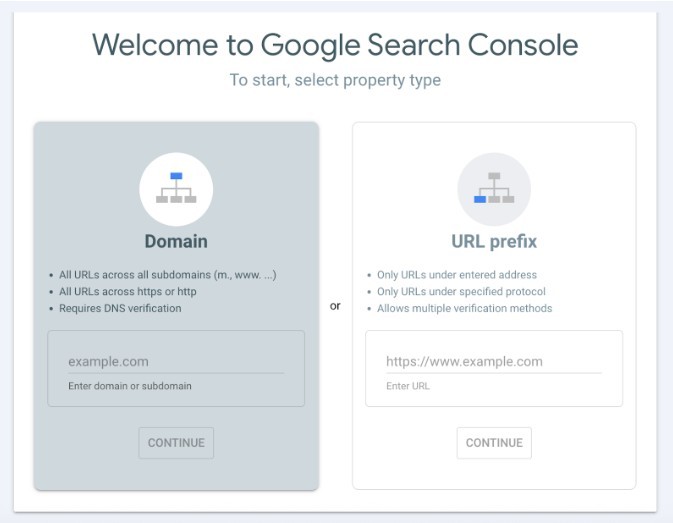
Open Google Search Console and use the URL Inspection Tool. Enter your homepage URL. If it says "URL is on Google," you're indexed. If you see "Discovered – currently not indexed" or "Crawled – currently not indexed," Google found your page but decided not to include it — that's usually a quality or technical issue.
You can also search site:yourfirmname.com directly in Google. If pages show up, you're indexed. If nothing appears, you're not in Google's index. Test specific pages with site:yourfirmname.com/practice-areas/personal-injury to verify individual indexing.
Fixing common indexing problems for attorney websites
To fix indexing problems, submit your XML sitemap through Search Console. Go to the Sitemaps section, add your sitemap URL (usually yoursite.com/sitemap.xml), and submit. Google will crawl your pages within a few days. Watch the Coverage report for errors like 404s or redirect chains.
Staging site robots.txt accidentally copied to production, duplicate content across practice area pages, thin pages that don't meet Google's quality bar, and orphaned pages with no internal links. Fix these before touching anything else — no indexing means no visibility means no rankings.
Choosing the best URL structure for law firm websites
URL structure tells Google how your site is organized. Law firms usually go with either flat URLs or subdirectories, and this choice affects how well you can scale content later.
Flat URL architecture for small practices
Flat URLs put everything at the same level:
yourfirm.com/car-accidents
yourfirm.com/truck-accidents
yourfirm.com/motorcycle-accidents
Simple to set up, keeps URLs short. But it gets messy as you add more pages, makes keyword organization harder, and gives Google no signal about how your content relates. Works fine if you're staying under 30 pages.
Subdirectory structure for scalable law firm SEO
Subdirectories organize content in folders that signal clear topical relationships:
yourfirm.com/practice-areas/personal-injury/car-accidents
yourfirm.com/practice-areas/personal-injury/truck-accidents
yourfirm.com/practice-areas/family-law/divorce
Google reads the folder structure and understands that /personal-injury/car-accidents belongs under /personal-injury/. It scales better and solves internal linking automatically since related pages sit in the same directory. For any firm planning to grow past 30 pages, subdirectories perform better long-term. If you go flat, you need aggressive internal linking to compensate for the lack of hierarchy.
Optimizing title tags and meta descriptions for legal search queries
Title tags and meta descriptions are what people see in search results before they click. Get them right and you capture attention. Get them wrong and Google rewrites them anyway — which happens about 60% of the time when they're poorly optimized.
Creating effective title tags for attorney websites
Every important page on a law firm website should have a unique title tag, kept under roughly 60 characters to avoid truncation in search results.
Short value propositions like "Free Consult" or "No Win, No Fee" improve click-through rates on competitive queries — especially when multiple firms are ranking for the same primary term and differentiation matters more than adding more keywords.
Writing meta descriptions that drive clicks from legal prospects
Meta descriptions don't affect rankings directly but they influence click-through rates — which does matter. Write 150–160 characters that summarize the page and include a specific value proposition.
Specific numbers beat generic descriptions every time. "$50M+ recovered" and "no fees unless we win" separate you from competitors saying "experienced attorneys who care." Write for the prospect who is comparing three firm listings in 10 seconds.
Finding high-value keywords for law firm marketing
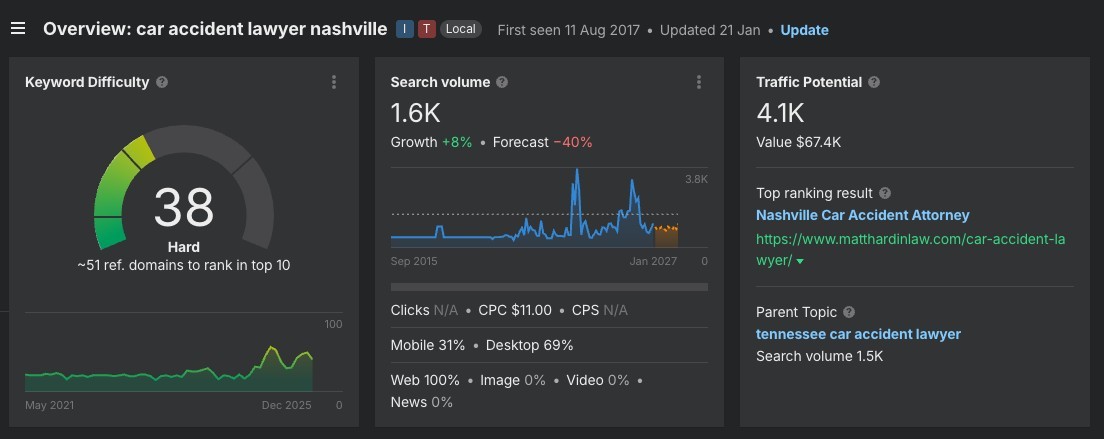
Use keyword research tools like Ahrefs, Semrush, or Moz to find high-value terms for your practice areas. Look for:
- Search volume above 100/month (lower volume still matters for niche areas)
- Commercial intent terms — "lawyer," "attorney," "consultation," "hire"
- Geographic modifiers matching your service areas
Add modifiers like "near me," "free consultation," and "24/7" to capture specific, high-intent searches. These long-tail variations convert better than generic terms because they signal immediate need.
Creating content that ranks in Google and converts prospects
Content quality determines rankings and whether visitors contact you. Pages need to satisfy what people are searching for while demonstrating you know what you're talking about. Google's systems specifically evaluate whether content provides value or just exists to manipulate rankings.
Building comprehensive practice area pages
Start with detailed practice area pages. Each major area — personal injury, family law, criminal defense — needs a dedicated page with 800–1,000+ words of substantive content. Competitive legal queries require depth to outrank firms that have been around longer.
Add supporting content through blog posts, FAQ pages, and guides answering common legal questions. Most people seeking legal help start with online research, and a significant portion of legal leads come from Google searches. Content that educates prospects builds trust and captures traffic from informational queries that eventually convert.
Structuring content for search engines and readers
Structure content with proper header hierarchy: H1 for the page title, H2 for main sections, H3 for subsections. This helps Google parse your structure and makes scanning easier for visitors. Each H2 should address a distinct topic, with H3s breaking down subtopics.
Link related pages together — practice areas to relevant blog posts, case results to practice areas, location pages to service pages. Internal linking distributes authority throughout your site and helps Google understand topic relationships. Aim for 3–5 contextual links per page using descriptive anchor text.
Optimizing images for legal website SEO
Optimize images with descriptive filenames (car-accident-tampa-attorney.jpg, not IMG_1234.jpg) and alt text describing image content. Include keywords in alt text when they naturally fit — but don't force them. Google's image search drives traffic for certain legal queries, particularly documentation-related searches. Compress all images under 200KB to protect page speed.
Technical SEO fixes that improve law firm website performance
Google uses mobile-first indexing, meaning it judges your mobile site to determine rankings for all searches. Your mobile site needs to load fast, display properly, and provide easy navigation. Sites failing mobile usability tests lose rankings regardless of content quality.
Mobile optimization for attorney websites
Keep mobile pages lightweight. Don't force-load heavy videos or high-resolution images on mobile. Compress images under 200KB, implement lazy loading for below-the-fold content, and use responsive design that adapts to screen size without separate mobile URLs. Over 60% of legal searches happen on mobile — if your site doesn't work on phones, you're losing cases.
Improving site speed and Core Web Vitals
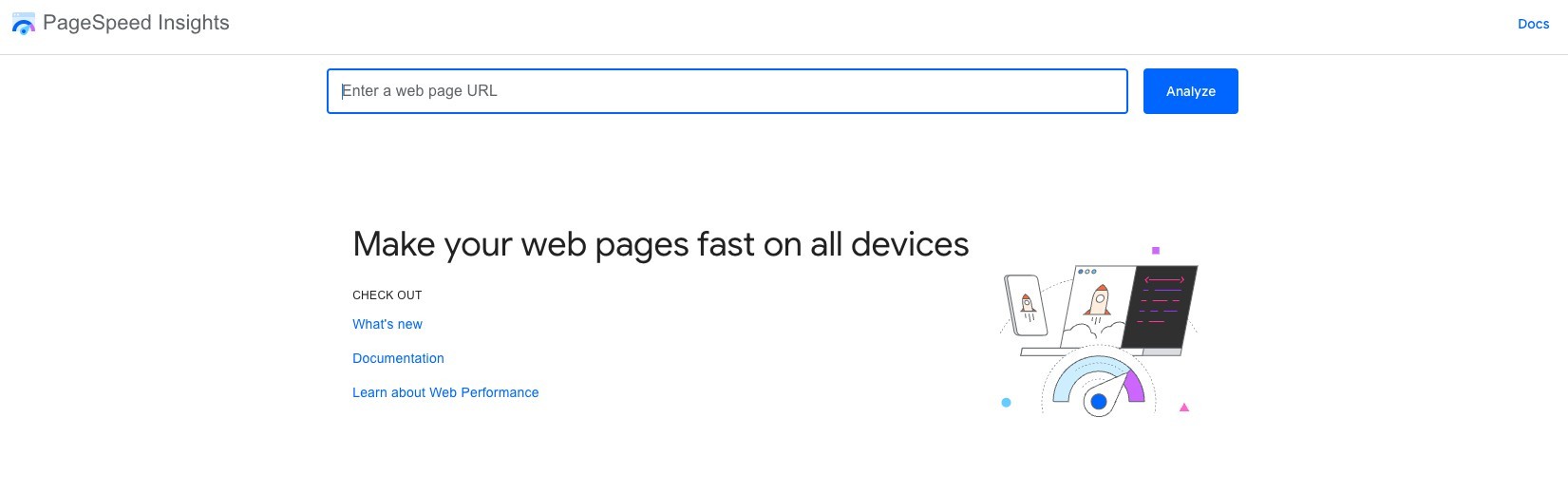
Site speed affects rankings and conversions. Pages loading under three seconds retain significantly more visitors. A one-second delay in mobile load time can reduce conversions by 20%. Use Google PageSpeed Insights to identify and prioritize problems:
How fast the main content loads. Target under 2.5 seconds. Usually caused by large uncompressed images or slow server response.
How quickly the page responds to user input. Target under 200ms. Caused by excessive JavaScript blocking the main thread.
How much content shifts visually while loading. Target under 0.1. Caused by images or ads without reserved dimensions.
Implementing schema markup for legal services
Website optimization extends beyond speed. Implement schema markup for attorney information, practice areas, reviews, and location data. Schema helps search engines understand your content and can earn rich snippets in results — star ratings, business hours, contact info directly in search. Legal schema types include Attorney, LegalService, and LocalBusiness.
A properly implemented schema gives your firm an edge in local pack results and featured snippets. It's also increasingly critical for appearing in AI-generated search overviews from ChatGPT, Perplexity, and Google AI Overviews — which use structured entity data to identify and cite authoritative local businesses.
Master on-page SEO to outrank competing law firms
Law firms that nail indexing, structure, and content optimization consistently outrank competitors for searches that bring in clients. Verify indexing, choose an appropriate URL structure, optimize every title tag and meta description, publish substantial content, and maintain technical performance. Get these fundamentals right and you'll rank for high-intent searches like "car accident attorney consultation" and "divorce attorney near me."
The firms sitting on page two didn't fail because their attorneys are less qualified. They failed because they skipped the technical requirements that make sites findable in the first place.
Schedule a Sprout Media demo to see how AI-powered marketing optimization identifies and fixes every on-page SEO issue — then keeps your law firm ranking as Google's algorithm evolves.
Schedule a Free Demo →FAQ
Everything attorneys need to know about on-page SEO — from indexing and title tags to Core Web Vitals, schema markup, and monthly costs.